In today’s fast-paced digital world, visibility is everything. Whether you’re a small business owner, a startup, or a global brand, the internet is where your audience spends most of their time. And when it comes to capturing that audience, Google Ads is one of the most powerful tools in digital marketing.
In this blog, we’ll cover everything you need to know about Google Ads — what it is, how it works, types of campaigns, benefits, best practices, and tips to succeed.
What is Google Ads?
Google Ads (formerly Google AdWords) is Google’s online advertising platform that allows businesses to display ads on Google Search, YouTube, Gmail, and across millions of websites in the Google Display Network.
It operates on a pay-per-click (PPC) model, meaning advertisers only pay when users click on their ads. The goal is to help businesses connect with potential customers at the right time, in the right place, with the right message.
How Does Google Ads Work?
Google Ads uses an auction-based system:
- Advertiser sets a bid – how much they’re willing to pay per click.
- Google considers ad quality – ad relevance, expected CTR, and landing page experience.
- Ad Rank is calculated – bid + quality score determine placement.
- Best ad wins – but it’s not always the highest bidder. A highly relevant ad with a good landing page can outrank a higher bid.
To learn about common problems while setting up Google ads: Click Here
Why Use Adwords?
Here’s why millions of businesses rely on this ad format:
- Massive Reach – Google processes 8.5+ billion searches daily.
- Targeted Advertising – Reach people by location, interests, demographics, or keywords.
- Cost Control – Set daily budgets and maximum bids.
- Measurable Results – Track clicks, conversions, and ROI in real time.
- Scalability – Suitable for startups as well as enterprises.
Types of Adwords Campaigns
Google Ads offers different campaign formats tailored to business goals:
- Search Ads: Text-based ads that appear on Google Search results when someone searches relevant keywords.
- Display Ads: Visual banner/image ads shown across websites in the Google Display Network.
- Shopping Ads: Product-based ads showing product image, price, and store details.
- Video Ads (YouTube): Ads appear before, during, or after YouTube videos.
- App Promotion Ads: Designed to drive app installs and engagement.
- Performance Max Campaigns: AI-powered campaigns that run across all Google channels with one setup.
Key Components of a Google Ads Campaign
To run effective ads, you need to understand its structure:
- Account – Your Google Ads profile.
- Campaign – Defines goals, budget, bidding, and targeting.
- Ad Groups – Collection of ads under one theme or keyword set.
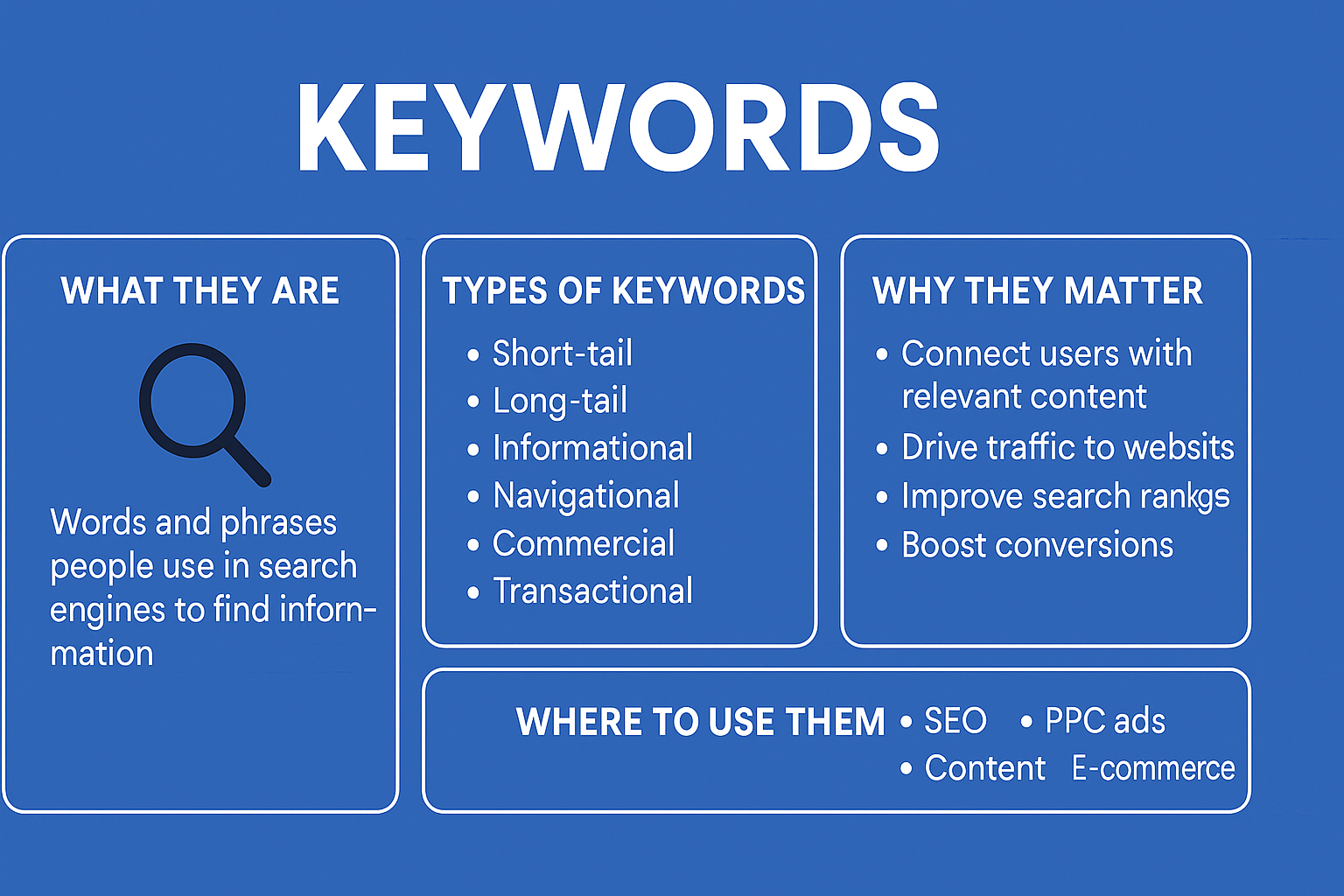
- Keywords – Search terms that trigger ads.
- Ads – The creatives (text, images, video) shown to users.
- Landing Page – The web page where users arrive after clicking the ad.
Targeting Options in Google Ads
- Keywords – Match search intent.
- Demographics – Age, gender, income, location.
- Interests – Audiences based on behavior.
- Remarketing – Target people who already visited your site.
- Custom Audiences – Tailor your reach with custom data.
Bidding Strategies in Google Ads
Google Ads offers two broad bidding types:
- Manual Bidding – Set bids manually for clicks.
- Automated Bidding – Let Google’s AI optimize bids for:
- Maximize ClicksMaximize Conversions
- Target CPA (Cost Per Acquisition)
- Target ROAS (Return on Ad Spend)
- Maximize Conversions
- Target CPA (Cost Per Acquisition)
- Target ROAS (Return on Ad Spend)
Measuring Success in Google Ads
Google Ads provides detailed analytics. Some key metrics include:
- CTR (Click-Through Rate) – % of people clicking your ad.
- CPC (Cost Per Click) – Average cost paid per click.
- Quality Score – Google’s rating of ad relevance & landing page.
- Conversion Rate – % of clicks that turn into leads/sales.
- ROAS (Return on Ad Spend) – Revenue earned for every ₹/$ spent.
Best Practices for Google Ads Success
- Do Keyword Research – Use Google Keyword Planner.
- Write Compelling Ad Copy – Clear, relevant, and with a strong CTA.
- Optimize Landing Pages – Fast, mobile-friendly, and relevant.
- Use Ad Extensions – Add phone numbers, site links, and offers.
- Monitor & Adjust – Track performance and tweak campaigns regularly.
- Test Everything – A/B test ads, bidding strategies, and creatives.
Common Mistakes to Avoid
- Targeting too broad or irrelevant keywords.
- Ignoring negative keywords (to filter unwanted clicks).
- Sending traffic to a weak landing page.
- Not setting proper conversion tracking.
- Overspending without monitoring ROI.
Google Ads is one of the most effective ways to drive traffic, generate leads, and boost sales. With its wide reach, advanced targeting, and measurable results, it can be a game-changer for businesses of all sizes.
However, success doesn’t come overnight. It requires strategy, optimization, and constant testing. If done right, Google Ads can deliver some of the highest ROI in digital marketing.
Whether you’re just starting or looking to scale, investing time and resources in mastering Google Ads is worth it.